
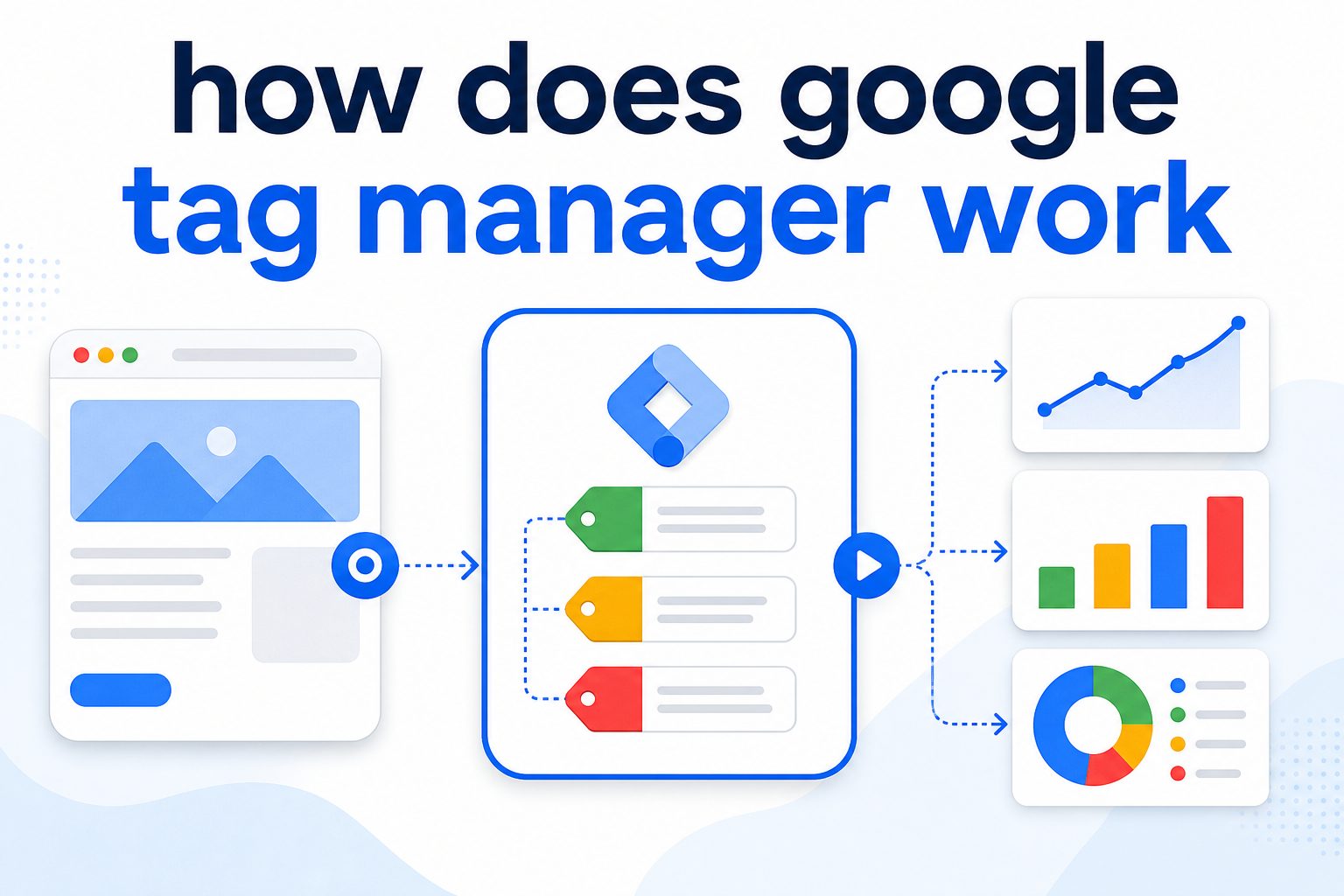
How does google tag manager work is a common question for website owners, marketers, bloggers, and business teams that want better tracking without editing website code every time. Google Tag Manager, often called GTM, is a free tool that helps you manage tracking codes from one central dashboard.
Instead of asking a developer to add every analytics script, ad pixel, conversion tag, or event tracker manually, you place one GTM container code on your website. After that, you can control many tracking tools from inside Google Tag Manager.
This matters because modern websites need accurate data. You may want to track button clicks, form submissions, purchases, scroll depth, video views, downloads, or ad conversions. GTM makes this easier by using tags, triggers, and variables.
In simple terms, tags are the tracking codes, triggers decide when those codes should fire, and variables store useful details that make tracking smarter. Once these parts work together, GTM sends data to tools like Google Analytics 4, Google Ads, Meta Pixel, LinkedIn Insight Tag, and other platforms.
If you have ever wondered how does google tag manager work, the answer is simple: it acts like a control center between your website and your marketing tools.
How does google tag manager work?
Google Tag Manager works by placing one container code on your website. Inside that container, you add tags for analytics, ads, and conversions. Triggers tell those tags when to fire, while variables add extra details. This lets you manage tracking without constantly changing website code.
How does google tag manager work for real websites?
It works by giving marketers and website owners a flexible way to manage tracking codes through one dashboard. Instead of installing every script directly on a website, you install a GTM container once. That container becomes the delivery system for different tags.
A tag is a piece of tracking code. It may send page view data to Google Analytics 4, report a sale to Google Ads, fire a remarketing pixel, or track a form submission. A trigger tells the tag when to run. For example, a trigger can fire when someone views a page, clicks a button, submits a form, watches a video, or reaches a thank-you page.
Variables help GTM collect and reuse information. They can capture page URLs, click text, form IDs, product prices, transaction values, and other useful details. Together, tags, triggers, and variables create a clean tracking system.
The biggest benefit is control. Teams can test, preview, publish, and update tracking without waiting for every small code change. GTM also supports version history, so you can roll back changes if something breaks.
How does google tag manager work in marketing? It improves conversion tracking, audience building, campaign reporting, and user behavior analysis. With GTM, businesses can see which campaigns bring valuable visitors, which buttons get clicks, and which pages lead to conversions.
How Does Google Tag Manager Work for Modern Tracking?
How does google tag manager work begins with the container. A container is the main GTM code installed on a website. Once this code is active, it can load and manage different tracking tags from the GTM dashboard. This makes website tracking faster, cleaner, and easier to update.
The container works like a bridge between your website and your analytics tools. When a visitor lands on a page, clicks a button, fills out a form, or completes a purchase, GTM listens for that action. If the action matches a trigger you created, GTM fires the correct tag.
This process saves time because you do not need to manually edit website code for every tracking change. A marketer can add a Google Analytics event, a Google Ads conversion tag, or a Meta Pixel event from the GTM interface. Developers still matter, especially for advanced setups, but GTM reduces the number of small technical requests.
Another important part is testing. GTM includes preview mode, which lets you check whether tags fire correctly before publishing. This helps prevent broken tracking, duplicate events, and inaccurate reports. You can see which tags fired, which triggers worked, and which variables were captured.
How does google tag manager work with Google Analytics 4? GTM sends user actions to GA4 as events. These events help you understand what visitors do on your site. You can track page views, scrolls, clicks, downloads, purchases, and custom actions that matter to your business.
The real value of GTM is flexibility. If your business changes its tracking goals, you can update your setup without rebuilding your site. This is why GTM is useful for ecommerce stores, lead generation websites, SaaS platforms, blogs, and service businesses.
Why Does Google Tag Manager Work Better Than Manual Tracking?
It Reduces Developer Dependency
How does google tag manager work better than manual code? It lets teams manage many tracking scripts from one place. Instead of sending every small tag request to a developer, marketers can configure common tracking needs inside GTM.
It Keeps Tracking Organized
Manual tracking can become messy when many scripts are added directly to a website. GTM keeps tags, triggers, and variables in one workspace. This makes it easier to audit tracking and remove old tags.
It Improves Testing Before Publishing
Preview mode helps you test before changes go live. You can confirm whether a conversion tag fires on the right page or whether a click event captures the right button.
It Supports Version Control
Every published GTM update creates a version. If a change causes problems, you can restore an earlier version. This gives teams more confidence when updating tracking.
It Helps Marketing Data Stay Accurate
Accurate tracking supports better decisions. When GTM is configured properly, businesses can measure campaigns, user behavior, conversions, and revenue more clearly.
When Should You Use Google Tag Manager for Your Website?
You should use Google Tag Manager when your website needs more than basic page view tracking. How does google tag manager work in this case? It helps you track meaningful user actions without adding separate scripts for every tool.
- Use GTM when you run paid ads and need conversion tracking.
- Use GTM when you want to send events to Google Analytics 4.
- Use GTM when you need to track forms, buttons, downloads, or purchases.
- Use GTM when multiple marketing platforms require pixels.
- Use GTM when you want cleaner tracking management.
- Use GTM when your team needs preview, testing, and version history.
For lead generation websites: GTM can track form submissions, phone clicks, quote requests, and contact button clicks.
For ecommerce websites: GTM can help track product views, add-to-cart actions, checkout steps, purchases, transaction values, and remarketing audiences.
For content websites: GTM can measure scroll depth, outbound clicks, video engagement, newsletter signups, and download actions.
For SaaS websites: GTM can track demo requests, trial signups, pricing page clicks, onboarding actions, and subscription conversions.
For agencies: GTM makes client tracking easier to manage, audit, and update across different marketing platforms.
What Are Tags, Triggers, and Variables in Google Tag Manager?
Tags, triggers, and variables are the core parts of GTM. If you want to understand how does google tag manager work, you must understand these three pieces first. A tag is the action GTM performs. A trigger is the rule that tells the tag when to run. A variable is the information GTM uses to make the tag or trigger more precise.
For example, imagine you want to track a contact form submission. The tag sends the event to Google Analytics 4. The trigger fires when the form is submitted. The variable may capture the form ID, page URL, or button text. Together, these parts create a useful event in your analytics reports.
Tags can include GA4 event tags, Google Ads conversion tags, remarketing tags, custom HTML tags, and third-party tracking pixels. Triggers can be based on page views, clicks, form submissions, scroll depth, timers, YouTube videos, or custom events. Variables can include URLs, click classes, click text, page paths, transaction values, and data layer values.
How does google tag manager work with the data layer? The data layer is a structured place where your website can pass information to GTM. Ecommerce websites often use it to send product names, prices, order IDs, and purchase values. This makes advanced tracking more reliable.
A clean GTM setup depends on clear naming. Tags should have descriptive names, triggers should explain the condition, and variables should be easy to understand. This helps future audits and prevents confusion when multiple people manage tracking.
How Does Google Tag Manager Work With Google Analytics 4?
GA4 Receives Events From GTM
How does google tag manager work with GA4? GTM sends events to Google Analytics 4 when users take specific actions. These events can include clicks, forms, purchases, file downloads, and custom interactions.
GTM Makes Event Tracking Flexible
GA4 is event-based, so GTM fits naturally with it. You can create custom events for actions that matter to your business, such as “book_demo_click” or “pricing_cta_click.”
Parameters Add More Context
Event parameters help explain what happened. For example, a click event can include button text, page location, form name, or product category.
Conversions Become Easier to Define
After GTM sends events to GA4, you can mark important events as conversions. This helps you measure leads, sales, signups, and other business goals.
Reports Become More Useful
When tracking is planned well, GA4 reports become easier to interpret. You can see which pages, campaigns, and user actions support growth.
Why Does Google Tag Manager Work for SEO and Marketing Insights?
Google Tag Manager does not directly improve rankings by itself, but it supports better SEO and marketing decisions. How does google tag manager work for SEO? It helps you measure how users interact with your content after they land on your website.
For example, you can track scroll depth to see whether people read long articles. You can measure clicks on internal links, downloads, embedded videos, affiliate links, or newsletter forms. This data helps you understand whether your content satisfies user intent.
GTM also helps connect SEO with conversion tracking. Organic traffic is useful, but businesses need to know what visitors do next. Do they contact you? Do they request a demo? Do they buy? Do they download a guide? GTM helps capture these actions and send them to analytics tools.
For marketing teams, GTM supports cleaner attribution. You can track paid traffic, organic traffic, email campaigns, and social visitors more clearly when your tags are configured correctly. This leads to better budget decisions and stronger campaign optimization.
How does google tag manager work with remarketing? It can fire audience tags when users visit specific pages or complete specific actions. This helps ad platforms build audiences based on behavior, such as visitors who viewed a pricing page but did not convert.
Conclusion
Understanding how Google Tag Manager functions gives you more control over your website data. Instead of relying on scattered scripts and constant code changes, GTM brings tracking into one organized workspace. It helps you manage tags, triggers, variables, GA4 events, ad pixels, and conversion tracking with more speed and accuracy.
How does google tag manager work is not just a technical question. It is a business question. When you track the right actions, you understand your audience better, improve campaigns faster, and make smarter decisions with real data.
FAQs
1. What is Google Tag Manager?
Google Tag Manager is a free tool that lets you manage tracking codes from one dashboard. It helps you add analytics tags, ad pixels, and conversion tracking without editing website code every time.
2. How does google tag manager work for beginners?
It works by using a container code, tags, triggers, and variables. The container sits on your site, tags send data, triggers decide when tags fire, and variables add details.
3. Does Google Tag Manager replace Google Analytics?
No. GTM manages tracking tags, while Google Analytics reports the data. GTM can send events to GA4, but it does not replace analytics reporting.
4. Can GTM slow down my website?
A clean setup usually works well, but too many tags or poorly configured scripts can affect performance. Remove unused tags and test regularly.
5. Is Google Tag Manager good for SEO?
GTM does not directly boost rankings, but it helps track SEO performance. You can measure scrolls, clicks, forms, downloads, and conversions from organic visitors.
6. Do I need a developer to use GTM?
Basic tracking can often be set up without a developer. Advanced ecommerce tracking, data layer work, and custom events may still need technical help.